
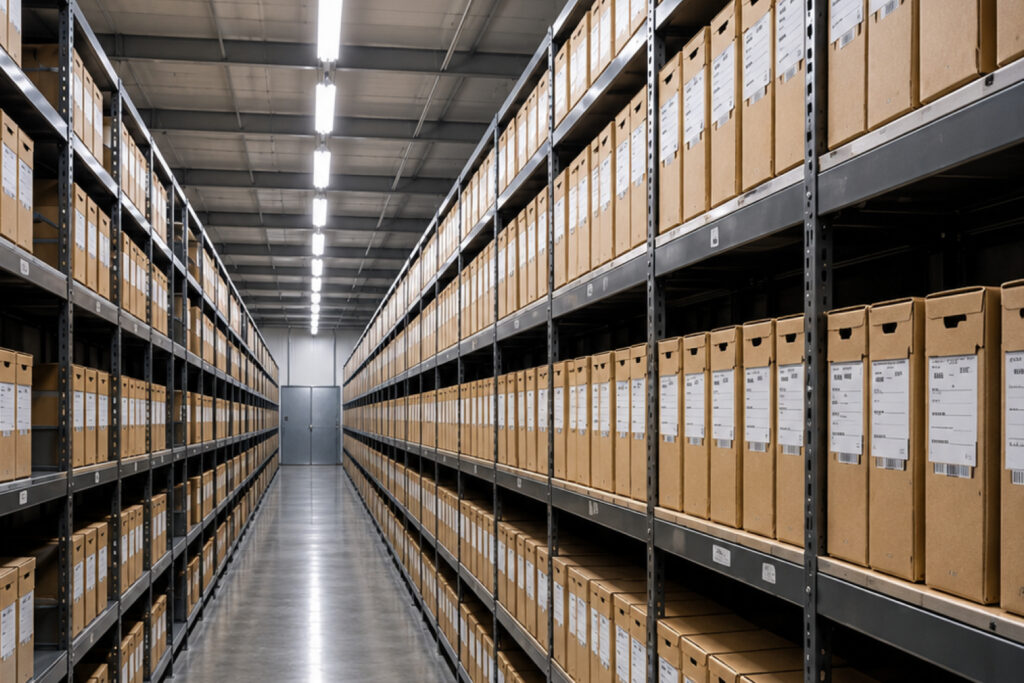
Transporting servers and IT equipment requires careful planning, specialised packaging, and professional handling. Unlike regular office furniture or household goods, IT infrastructure contains sensitive electronic components that can be damaged by physical impact, vibration, electrostatic discharge, moisture, or improper handling. Even minor damage during transportation can lead to hardware failure, data loss, expensive repairs, and business downtime.
Whether relocating a data centre, moving office IT infrastructure, or transporting individual servers to another facility, following the right procedures is essential to protect valuable equipment.
In this guide, we explain how to transport servers and IT equipment safely while minimising the risk of physical damage.
1. Plan the Transportation Process in Advance
Proper planning is the first step towards safe server and IT equipment transportation. Before moving anything, conduct a detailed assessment of the equipment, transportation requirements, and destination.
Start by creating a complete inventory of all IT assets, including:
- Rack-mounted and tower servers
- Network switches and routers
- Storage systems and backup devices
- Firewalls and security appliances
- Desktop computers and workstations
- Monitors, UPS systems, and accessories
- Data centre racks and related infrastructure
Record the model numbers, serial numbers, physical condition, and configuration of each device. Taking photographs before dismantling also helps identify existing damage and ensures equipment can be reassembled correctly.
Additionally, evaluate the distance, transportation route, loading requirements, and environmental conditions. International or long-distance transportation may require additional protective packaging and specialised logistics arrangements.
2. Back Up Data Before Moving Servers
Before disconnecting any server or storage device, ensure that all critical business data is securely backed up.
Although transportation primarily involves physical equipment, unexpected incidents can affect storage drives, RAID configurations, and other data-bearing components.
Follow these precautions:
- Perform a complete backup of critical data.
- Verify that backups are accessible and functioning.
- Maintain additional copies in a secure off-site location.
- Document server configurations and network settings.
- Record RAID configurations and storage arrangements.
- Confirm that recovery procedures are available.
It is also important to verify backup integrity before shutting down the infrastructure. Having a reliable recovery plan reduces the risk of permanent data loss if equipment is damaged during transportation.
3. Shut Down and Disconnect Equipment Properly
Improper shutdown and disconnection can damage hardware and create complications during reinstallation.
Servers should always be shut down using their recommended procedures rather than being disconnected directly from the power supply.
Follow a systematic shutdown process:
- Notify employees and relevant departments about the planned downtime.
- Stop running applications and scheduled processes.
- Shut down virtual machines and connected services.
- Safely power down servers and storage systems.
- Disconnect power cables, network cables, and peripheral connections.
- Label cables and ports to simplify reinstallation.
Use clearly marked labels for every cable and connection. Numbered labels and photographs of rack configurations can help technicians reconnect equipment correctly at the new location.
Never pull cables forcefully or remove components without following the manufacturer’s instructions.
4. Use Anti-Static Packaging Materials
Electrostatic discharge (ESD) is one of the major risks when handling sensitive electronic equipment. Even a small static electricity discharge can damage delicate electronic components, including memory modules, processors, circuit boards, and storage controllers.
Standard plastic packaging is not always suitable for sensitive IT hardware.
Use appropriate anti-static materials, such as:
- Anti-static bags for individual electronic components.
- ESD-safe foam for sensitive hardware.
- Conductive or dissipative protective packaging where appropriate.
- Anti-static cushioning materials.
- ESD-safe containers for removable components.
Technicians handling exposed electronic components should follow appropriate ESD protection procedures, including using grounded wrist straps and ESD-safe workstations where required.
For complete server systems, use protective packaging designed to minimise movement and absorb transportation shocks.
5. Choose the Right Protective Packaging
Servers and IT equipment are often expensive, heavy, and sensitive to physical impact. Choosing the wrong packaging can increase the chances of damage during loading, unloading, and transit.
Ideally, use original manufacturer packaging whenever it is available and suitable for the equipment.
If original packaging is unavailable, consider specialised server transportation materials.
Important packaging requirements include:
Shock-absorbing foam: Custom-cut foam inserts help secure equipment and reduce the impact of sudden movements.
Rigid protective crates: Heavy-duty crates provide additional protection against external pressure, accidental impacts, and rough handling.
Anti-static protection: Appropriate ESD-safe materials help protect sensitive electronic components.
Moisture protection: Suitable moisture barriers and desiccants can help protect equipment from humidity and condensation during transit.
Internal stabilisation: Ensure that equipment cannot shift inside the packaging during transportation.
For rack-mounted servers, consider specialised server shipping cases or engineered packaging systems that provide support for the equipment’s weight and structure.
Avoid placing heavy equipment directly on top of smaller devices or stacking boxes beyond their recommended limits.
6. Handle Servers and IT Equipment Carefully
Incorrect lifting and handling can damage server chassis, internal components, mounting rails, and connectors.
Servers can be surprisingly heavy, especially enterprise-grade rack-mounted systems with multiple storage drives and power supplies.
Follow these handling practices:
- Use appropriate lifting equipment for heavy servers.
- Ensure sufficient personnel are available for manual handling.
- Avoid lifting equipment by handles that are not designed for transportation.
- Keep equipment upright when required by the manufacturer’s instructions.
- Do not drag servers across floors or loading surfaces.
- Use padded trolleys and equipment lifts where appropriate.
- Secure removable components before transportation.
For large data centre relocations, professional handling equipment such as server lifts, pallet jacks, and specialised transport carts can significantly reduce the risk of accidental damage.
7. Use Suitable Transportation Vehicles
The transportation vehicle plays an important role in protecting sensitive IT infrastructure.
Standard vehicles may not provide adequate protection against road vibrations, temperature fluctuations, dust, or moisture.
When selecting a transportation vehicle, consider the following factors:
Suspension system: Vehicles with appropriate suspension help minimise road vibrations and sudden shocks.
Climate control: Temperature-controlled transportation may be necessary for equipment with specific environmental requirements.
Clean interiors: The vehicle should be clean, dry, and free from dust or debris.
Secure loading arrangements: Equipment must be properly restrained to prevent movement during transit.
GPS tracking: Real-time tracking helps monitor transportation progress and improve shipment visibility.
For high-value IT infrastructure, dedicated transportation vehicles and specialised logistics services can provide additional control throughout the journey.
8. Protect Equipment from Temperature and Humidity Changes
Environmental conditions can affect electronic equipment during transportation, particularly during long-distance and international moves.
Extreme temperatures, excessive humidity, and sudden environmental changes can create risks for sensitive hardware.
One major concern is condensation. When cold equipment is exposed to warmer, humid air, moisture can form on internal and external surfaces.
To reduce environmental risks:
- Follow the manufacturer’s recommended storage and transportation conditions.
- Use suitable protective packaging.
- Avoid exposing equipment to direct sunlight or excessive heat.
- Keep shipments protected from rain and moisture.
- Allow equipment to acclimatise before powering it on after transportation.
The acclimatisation period depends on the equipment, packaging, and environmental conditions. Always follow manufacturer guidance before reconnecting and powering up servers.
9. Monitor and Secure Equipment During Transit
Proper packaging alone is not enough. Equipment must also remain secure throughout transportation.
Sudden braking, road vibrations, unexpected movements, and improper stacking can cause damage even when servers are packaged correctly.
Consider using the following protective measures:
- Secure crates and pallets using appropriate restraints.
- Keep equipment in designated positions.
- Use shock and tilt indicators where appropriate.
- Monitor shipment location through GPS tracking.
- Maintain transportation documentation.
- Restrict unnecessary handling during transit.
For critical IT infrastructure, assign a dedicated logistics coordinator to monitor the shipment and communicate with the technical team.
Maintaining a clear chain of custody also helps improve accountability, particularly when multiple transportation teams are involved.
10. Inspect Equipment Before Reinstallation
Once the equipment reaches its destination, do not immediately reconnect and power on every device.
Conduct a thorough inspection to identify any damage that may have occurred during transportation.
The inspection process should include:
- Check external packaging for signs of impact, water exposure, or deformation.
- Inspect server chassis, rack components, and mounting hardware.
- Examine power connectors, network ports, and cables.
- Check storage devices and removable components.
- Compare equipment condition against pre-move photographs and inventory records.
- Allow equipment to acclimatise according to manufacturer recommendations.
- Reinstall and reconnect equipment following documented configurations.
- Perform hardware diagnostics and verify system functionality.
Test critical applications, network connectivity, storage systems, and backup operations before declaring the infrastructure fully operational.
A structured post-transport inspection helps identify potential issues early and reduces the chances of unexpected downtime.
Why Professional IT Equipment Transportation Matters
Transporting servers and IT infrastructure involves more than simply packing electronic devices into boxes and moving them to another location. It requires technical knowledge, appropriate packaging, specialised handling equipment, and carefully coordinated logistics.
Professional IT equipment transportation services can help businesses minimise risks associated with:
- Physical damage to sensitive hardware.
- Data loss and infrastructure failures.
- Improper packaging and handling.
- Transportation delays.
- Environmental exposure.
- Unplanned business downtime.
For organisations complete data centres, offices relocating, or critical IT infrastructure, working with experienced logistics professionals can make the entire process more secure and predictable.
Conclusion
Safe transportation of servers and IT equipment requires a systematic approach that covers planning, data backup, proper shutdown, anti-static packaging, protective crating, careful handling, secure transportation, and post-move inspection.
Every stage matters when protecting sensitive electronic infrastructure. Even a small mistake during transportation can result in expensive hardware repairs, operational disruption, and potential data loss.
By following the right transportation procedures and working with experienced professionals, businesses can relocate their IT infrastructure while reducing the risk of physical damage and ensuring a smoother transition.
Planning an IT infrastructure or data centre relocation? Transworld International provides specialised relocation and logistics solutions to support complex equipment movements. Contact the team to discuss your transportation requirements and plan a secure relocation.